Your Dashboard
After you log in, you'll land on your Dashboard. This is home base - where you can see what's happening and quickly get to where you need to go.
Your Golf Profile
Let's follow Susan as she logs in for the first time this week.
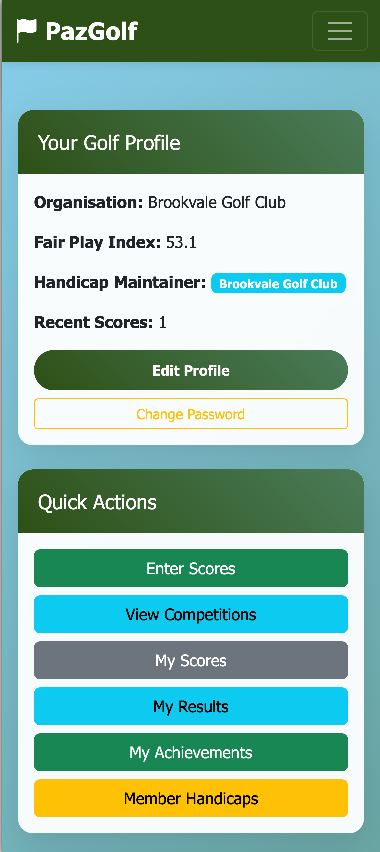
At the top, Susan sees her Golf Profile card. This shows:
- Organisation - Brookvale Golf Club
- Fair Play Index - 53.1 (this is her handicap rating)
- Handicap Maintainer - who manages her handicap records
- Recent Scores count
Below that, the Quick Actions give her one-tap access to the things she'll do most often - entering scores, viewing competitions, checking her score history.
Finding This Week's Competition
Susan scrolls down and sees the Active & Upcoming Competitions section.
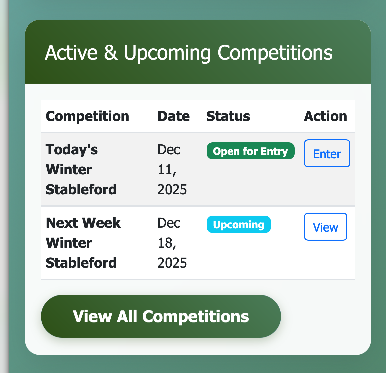
There's a Stableford competition running this week that she wants to enter. She can see:
- The competition name and dates
- The status - "Open for Entry"
- An Enter button to join
Susan taps Enter and she's taken to the competition entry screen.
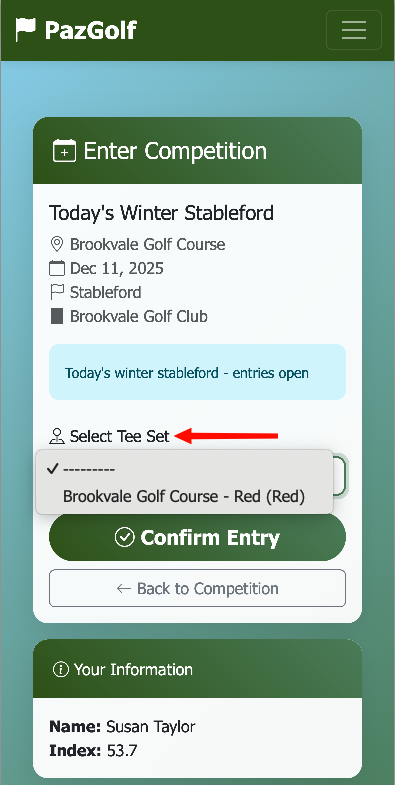
She can see the competition details at the top - the course, date, format, and that entries are open. Now she needs to select which tees she'll play from.
Susan taps the Select Tee Set dropdown and chooses Red tees. PazGolf shows tees appropriate for her gender - female players see Red tees, male players see White and Blue.
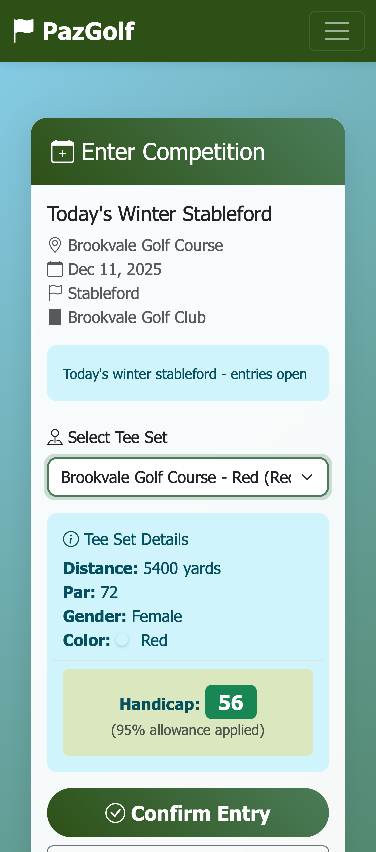
Once she's selected her tees, Susan can see her Handicap: 56 for this competition. This is calculated from her Fair Play Index (53.1) adjusted for the Red tees, with the 95% competition allowance applied.
She taps Confirm Entry and she's in! She only needs to do this once per competition - so next week, she'll tap Enter again on the first day she wants to play.
Tip: This competition has no entry fee. For competitions with a fee, Susan would visit the Pro Shop, pay her entry, and the staff would enter her into the competition there.
Ready to Play
Once Susan has entered the competition, her Dashboard updates.
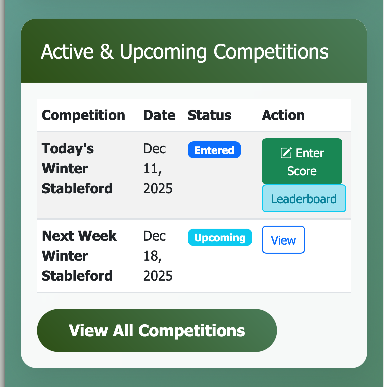
Notice the status has changed from "Open for Entry" to "Entered". She now sees two new buttons:
- Enter Score - for when she's ready to record her round
- Leaderboard - to see how everyone is playing
Susan heads out to play her round with Emma. To see how she enters scores during the round, see Entering Scores.
Checking the Leaderboard
After her round, Susan is curious to see where she stands. From her Dashboard, she taps Leaderboard.
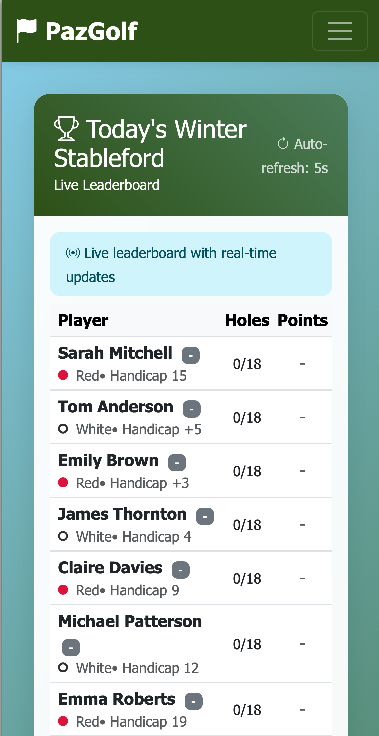
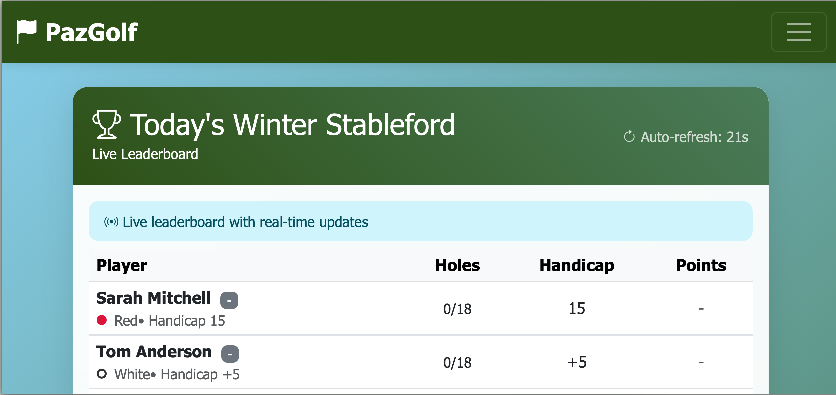
The leaderboard updates in real-time as players submit their scores. Susan can see who's in the lead and track the competition throughout the week. If you're finding it a bit cramped on your phone, try rotating to landscape mode - you'll see more columns and detail at a glance.
Tip: Rotate your phone to landscape for a better view of the leaderboard.
Notifications That Matter
Back on the Dashboard, Susan notices some notifications at the top of the screen.
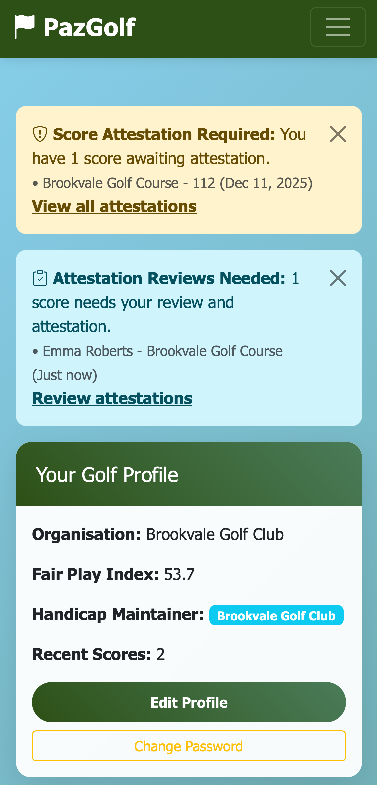
PazGolf keeps her informed about things that need her attention:
- Score Attestation Required - A playing partner has submitted scores that Susan needs to verify
- Attestation Reviews Needed - Someone needs to verify Susan's scores
Susan taps Review attestations and can quickly approve her playing partner's scores. This keeps the handicap system fair and accurate.
The Navigation Menu
Susan taps the hamburger menu (☰) in the top corner to see what else she can do.
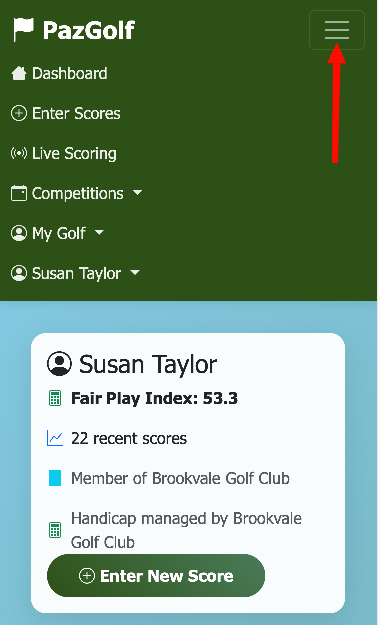
From here she can access:
- Enter Scores - Submit a new round
- Live Scoring - Join a scoring session with her playing partners
- Competitions - Browse all available competitions
- My Golf - Her scores, results, attestations, and handicap history
Checking Her Scores
Susan wants to see how she's been playing lately. She taps My Golf → My Scores.
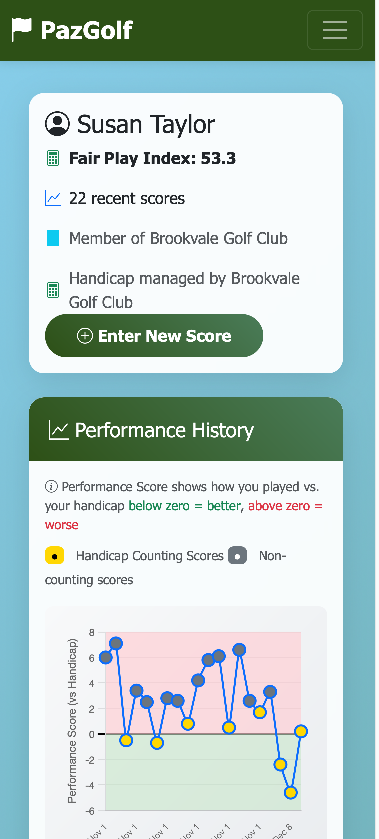
She can see her recent rounds with:
- Date and course played
- Gross score and Stableford points
- Performance Score - how she played compared to her handicap (negative is better!)
The yellow highlighted rows are the 8 scores that currently contribute to her Fair Play Index.
Susan taps on a row to see the full details of that round, including her hole-by-hole scores.
Quick Reference
| Dashboard Section | What It Shows |
|---|---|
| Golf Profile | Your FPI, organisation, recent scores count |
| Quick Actions | Enter Scores, View Competitions, My Scores, My Results |
| Active Competitions | Current and upcoming competitions you can enter |
| Notifications | Attestations needed, join request status |
| Navigation Menu | Full access to all PazGolf features |
Next: Entering Scores - Recording your round with the digital scorecard